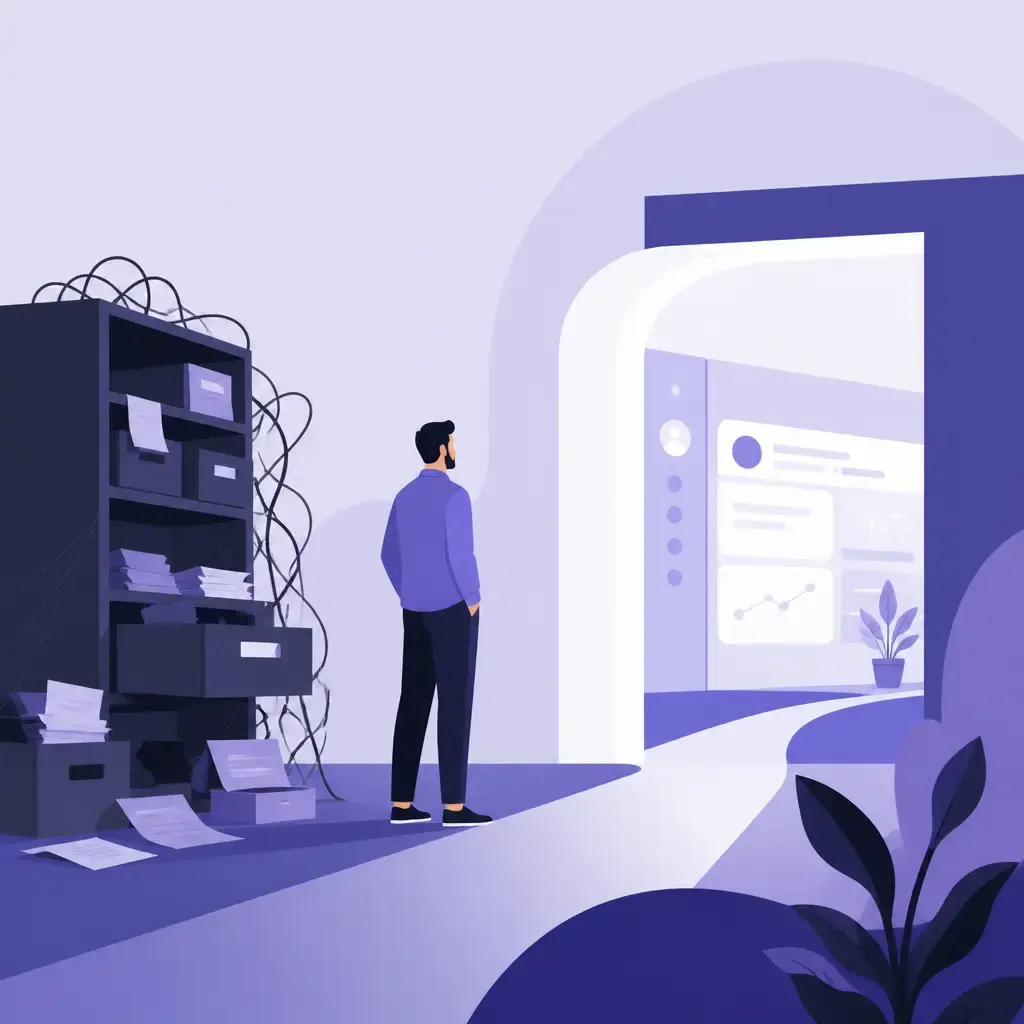
Most businesses don't replace their CRM because they want a shiny new toy. They do it because the one they've got has quietly stopped fitting, and nobody quite noticed when it happened. That's the awkward part. A CRM rarely fails outright. Instead, it slowly gets used less, your sales team leans more on their own little processes, and one day you realise the system everyone was supposed to live in is half-empty.
If that sounds familiar, you've probably outgrown your CRM. Below are the five signs that tell you for sure, why they matter, and what a sensible next step actually looks like. None of this means you need to rip everything out tomorrow. But if you're nodding along to two or three of these, it's worth a proper think.
Key takeaways
- A CRM you've outgrown doesn't crash. It slowly stops being the place people go for customer information, and the data inside it quietly goes stale.
- The five warning signs: workarounds, Excel-based reporting, weak integrations, climbing per-seat costs, and a sales process the software can't keep up with.
- One sign on its own usually isn't worth switching over. Two or three together is a real conversation.
- Before you shop for a new platform, map your actual sales process today, not the one you had when you bought the current system.
- Sometimes the answer is a better off-the-shelf tool. Sometimes it's a custom build that matches how your business really works. The honest answer depends on the map.
Sign 1: Your team has built workarounds around it
This is the first and most obvious one. If your sales reps are running their own workflows around the CRM, the CRM has been outgrown. Simple as that.
People don't build workarounds because they're being difficult. They build them because the system isn't fast enough, or doesn't show them what they need, or turns a five-second task into a two-minute one. A rep keeping a private spreadsheet of their pipeline isn't sabotaging you. They're solving a problem the software created.
The trouble is what happens next. When the CRM stops being the first place people go for customer information, it stops being a source of truth. And once that happens, the data inside it quietly becomes unreliable. You end up with two versions of reality: the one in the system and the one in everyone's heads, sticky notes and side spreadsheets.
What the workarounds are really telling you
Look at what your team has built around the edges. It's a free design brief. If three reps have all built the same spreadsheet to track renewals, your CRM has a renewals gap. If someone's keeping a running note of which clients prefer email over calls, the CRM doesn't capture relationship context the way your business actually needs it to.
This matters because adoption is the whole game. A CRM only earns its keep when people use it. The moment they route around it, every report, every forecast and every handover built on that data is shakier than it looks.
Sign 2: Reporting has turned into an Excel export job
A CRM should answer your reporting questions directly. Pipeline value, win rate, forecast by rep, deal velocity, all of it, at a glance. That's a big part of what you're paying for.
So if your weekly routine involves exporting CRM data into Excel and running formulas to get a view you can actually use, the reporting layer isn't working. There are only two explanations, and neither is good. Either the system can't produce the reports you need, or the data inside it is too messy to trust without cleaning it up first.
This is usually the point where leadership starts making decisions on gut feel, because the numbers coming out of the CRM don't match what's actually happening in the business. And gut feel is fine for small calls. It's a poor way to decide where to put next quarter's budget.
Why the spreadsheet habit is a trap
The Excel export feels harmless. It's just five minutes on a Friday. But it hides the real problem and it's fragile. One person owns the formulas. If they're off sick, nobody can produce the board pack. The cleaning step also means your reports are someone's interpretation of the data, not the data itself, so two people can run the same export and get different answers.
If you recognise this pattern, you're not alone. Plenty of growing businesses end up running their real operations out of spreadsheets bolted onto software that was supposed to do the job. We've written before about what happens when spreadsheets start holding a business back, and CRM reporting is one of the most common places it shows up.
Sign 3: It doesn't integrate with the rest of your stack
A modern CRM sits in the middle of your tech stack. It needs to talk to your accounting software, your marketing tools, your website, and increasingly your ERP or operations platform. It's the hub everything else connects to.
If your CRM is a closed island, or the only way to sync it with anything else is through expensive third-party connectors and a brittle chain of Zapier automations, you're paying the integration cost in duplicated work. The same customer gets re-keyed in three systems. Finance can't see what sales just closed. Marketing campaigns go out to people who are already customers because the marketing tool never got the memo.
At a certain size, this stops being an inconvenience and starts being a genuine bottleneck on how fast the business can move.
Middleware buys you time, not a solution
To be fair, tools like Zapier can fill some of the gaps, and for a while they do the job. But they introduce dependencies, and they often leave you with data that's slightly out of sync. For businesses where the link between a sale, a project and an invoice actually matters, that slight lag is a real problem. An invoice raised against a deal that the CRM still shows as open is the kind of small mismatch that erodes trust in every system involved.
The difference with a properly engineered integration is reliability. A custom CRM can be built to connect directly to the platforms you already rely on, with proper connections rather than stitched-together automations that break when a vendor changes their API. That's the distinction between a setup that mostly works and one you can actually depend on. If integrations and bespoke connections are where your headaches live, that's squarely the territory of custom software development.
Sign 4: The cost keeps climbing as you grow
Most off-the-shelf CRMs are priced per user, per month, with the features you actually want locked behind the higher tiers. That maths works fine when you're a team of five. It stops working around fifteen or twenty.
Here's the bit that catches people out. The pricing is designed to grow with you, which sounds friendly until you realise it means every new hire and every must-have feature pushes the bill up. You don't just pay for more seats. You pay to unlock the module you can't live without, then the add-on after that.
If your annual CRM bill is starting to look like it could fund a dedicated piece of internal software instead, it probably can. Once you're paying meaningfully into five figures a year and still hitting feature limits, the economics of a bespoke CRM start to look very different, and a custom CRM build is worth putting on the table.
Running the numbers honestly
A custom CRM flips the cost model. Instead of a per-seat subscription that climbs forever, it's a one-time development investment with reasonable ongoing maintenance costs. No per-seat fees, no modules to unlock, no vendor quietly shifting the feature you depend on into a higher pricing tier next renewal. You can add users and expand functionality without every decision being shaped by what your subscription allows.
The number worth knowing: for most businesses, the break-even point against a mid-tier enterprise CRM subscription comes within two to three years. That's the calculation to run. Take your current annual spend, project it forward as you grow your headcount, and compare it against a build plus its maintenance over the same period. For a small team that line never crosses. For a scaling one, it often does, and sooner than people expect.
Sign 5: Your sales process has evolved and the CRM hasn't
The CRM you bought three years ago was probably a good fit for the business you had three years ago. But sales processes change. You add product lines, new customer segments, longer deal cycles, account managers, renewals, partners. The business that's selling today isn't the one that picked the software.
The tell is the direction of the bending. If your team is bending the workflow to fit the software rather than the other way round, the CRM is now shaping how you sell, which is the wrong way round. You should be able to describe your ideal sales process and configure the system to support it, not the reverse.
When the standard fields, stages and automations no longer match how your business actually operates, you're due for a rethink.
When the system starts making decisions for you
This is the most subtle sign because it creeps in. Nobody decides to let the software run the sales process. It just happens, one workaround and one "we'll log it that way because the field exists" at a time. Before long, deals are being shoehorned into stages that don't reflect reality, and reps are skipping steps the CRM insists on but the business doesn't need.
The fix isn't more configuration. Off-the-shelf platforms come with their own opinions about how things should work, and those opinions don't fit every business even when you customise them. There's a ceiling. Past it, you're polishing a tool that was never shaped for your process. A custom-built system gets designed around exactly the way your business operates, which makes everything downstream far easier.
What you actually gain from a custom CRM
It's worth being clear about why a bespoke build helps, beyond just "it fits better." Off-the-shelf CRMs like Salesforce, HubSpot and Zoho work well for a lot of businesses. The further you grow, though, the more you notice the gaps: fields that don't reflect how your team works, automations that almost do what you need, reports that never quite show the right thing, and that growing pile of spreadsheets sitting alongside the CRM just to fill the holes.
Here's what a custom system addresses directly.
| What you're stuck with off the shelf | What a custom CRM gives you |
|---|---|
| Pipeline and stages shaped by the vendor's opinion | A system designed around exactly how your business operates |
| Data quality that slips as you scale and inflow outpaces the team | A system that's easy to use and scales as you grow, so records stay complete |
| Integrations held together with middleware and slightly out-of-sync data | Properly engineered, direct connections to the tools you already rely on |
| Reps logging late or keeping notes elsewhere because the tool is clunky | An interface built around daily tasks, where the common actions are the easiest |
| Per-user, per-month pricing that climbs as you hire | A one-time investment with reasonable ongoing maintenance, no per-seat fees |
| The same setup your competitors run | Your specific edge built into your operations, not something rivals can buy back |
That last row is the one people underrate. If you and your competitors run the same CRM with similar setups, you're all operating from the same foundation. A custom-built system lets you embed your specific advantages directly into your operations. Speed of response, quality of client relationships, depth of technical knowledge, whatever your edge is, you can build it into the system in a way a competitor can't replicate by upgrading their Salesforce plan.
And adoption, the thing that quietly decides whether any of this works, gets easier too. When a CRM is designed around the tasks your team performs every day, the interface is intuitive because it reflects their actual workflow. The screens they see are the ones they need. The most common actions are the easiest to complete. That's the difference between a CRM that improves performance and one that sits mostly unused.
So what should you actually do about it?
One of these signs on its own usually isn't worth tearing up the system over. Two or three together is a real conversation.
But don't start by shopping for replacement platforms. That's the wrong first move, because you'll end up comparing features against a process you can't quite articulate. The more useful starting point is to map out what your sales process actually looks like today, not the one you had when you bought the current CRM.
Work through it on paper:
- What stages does a deal go through? From first contact to closed, write down every real step, including the ones the current CRM doesn't have a field for.
- What data do you need at each point? What does a rep need to see to move a deal forward, and what does leadership need to forecast accurately?
- What integrations matter? Where does the link between a sale, a project and an invoice actually need to hold? That tells you which connections are essential, not just nice to have.
- Who uses the system and how? The reps, the managers, finance, marketing. If a group is routing around it today, that's a requirement, not a complaint.
Once that's on paper, the decision tends to get a lot clearer. Sometimes the answer is switching to a better-fit off-the-shelf platform, and that's genuinely the right call for plenty of businesses, especially earlier-stage ones. Sometimes it's a bespoke build that actually matches how your business works.
Be honest about whether you're ready
Custom CRM development isn't the right answer for every business. If you're in the early stages, an off-the-shelf platform is usually the sensible starting point, and you'd be wasting money building something you'll outgrow in a different direction within a year.
The case for a bespoke build gets strong when several of these are true at once: your team is working around the CRM rather than with it, integrations are unreliable, adoption is low, or subscription costs are becoming a meaningful expense as you scale. Hit two or more and the maths and the frustration both start pointing the same way. If you've already been weighing up the broader decision between Excel, an off-the-shelf CRM and a custom system, this maps onto the same question from the CRM side.
The honest version of the answer
Here's the thing most CRM articles won't say plainly. The point isn't to convince you to build something custom. The point is to stop you tolerating a system everyone has quietly given up on.
If your data's reliable, your reports come straight out of the box, your integrations hold, the cost still makes sense, and your team genuinely uses the thing, then you haven't outgrown your CRM. Leave it alone. If you can't say yes to most of that, you've got a decision to make, and the worst option is the one most businesses default to: doing nothing and letting the workarounds multiply.
Map the process first. Then decide. The answer becomes a lot less daunting once it's written down.
If you're seeing two or more of these signs and aren't sure what the right next step is, that's exactly the kind of thing our team can help you think through. Take a look at how we approach custom software development, and we'll have a straight conversation about what's worth changing and what isn't.
Frequently asked questions
How many of these signs mean I should actually switch CRM?
One sign on its own usually isn't worth tearing up your system over. Two or three together is a real conversation. The clearest cases are when several show up at once, for example your team is building workarounds, your reporting lives in Excel, and your subscription cost keeps climbing as you hire.
Should I build a custom CRM or just switch to a better off-the-shelf one?
It depends on what your sales process needs, which is why you should map that process before you compare platforms. Sometimes a better-fit off-the-shelf tool is the right answer, especially for earlier-stage businesses. A bespoke build makes sense when your process is genuinely specific, integrations need to be reliable, adoption is low because the tool is clunky, or per-seat costs are becoming a meaningful expense as you scale.
When does a custom CRM pay for itself compared to a subscription?
For most businesses, the break-even point against a mid-tier enterprise CRM subscription comes within two to three years. A custom build is a one-time development cost with reasonable ongoing maintenance, rather than a per-user fee that climbs as you grow. Run your current annual spend forward as you add headcount and compare it against a build plus maintenance over the same period.
What's the first thing I should do before looking at new CRMs?
Map your actual sales process as it works today, not the one you had when you bought the current system. Write down the real stages a deal goes through, the data you need at each point, which integrations genuinely matter, and who uses the system and how. Once that's on paper, the decision about whether to switch, rebuild or stay put gets much clearer.
Related articles
- Software Development
eCoCs Explained: What the UK's Electronic Certificate of Conformity Means for Vehicle Manufacturers
10 September 2026 - Software Development
MVP to Scalable Product: How to Scope It Right and Know When to Scale
20 August 2026 - Software Development
Why ERP Integration, Not AI Tools, Is the Real Starting Point for Manufacturers
6 July 2026
Related services
Need a hand with this? Here's how IceBoxDesigns can help.