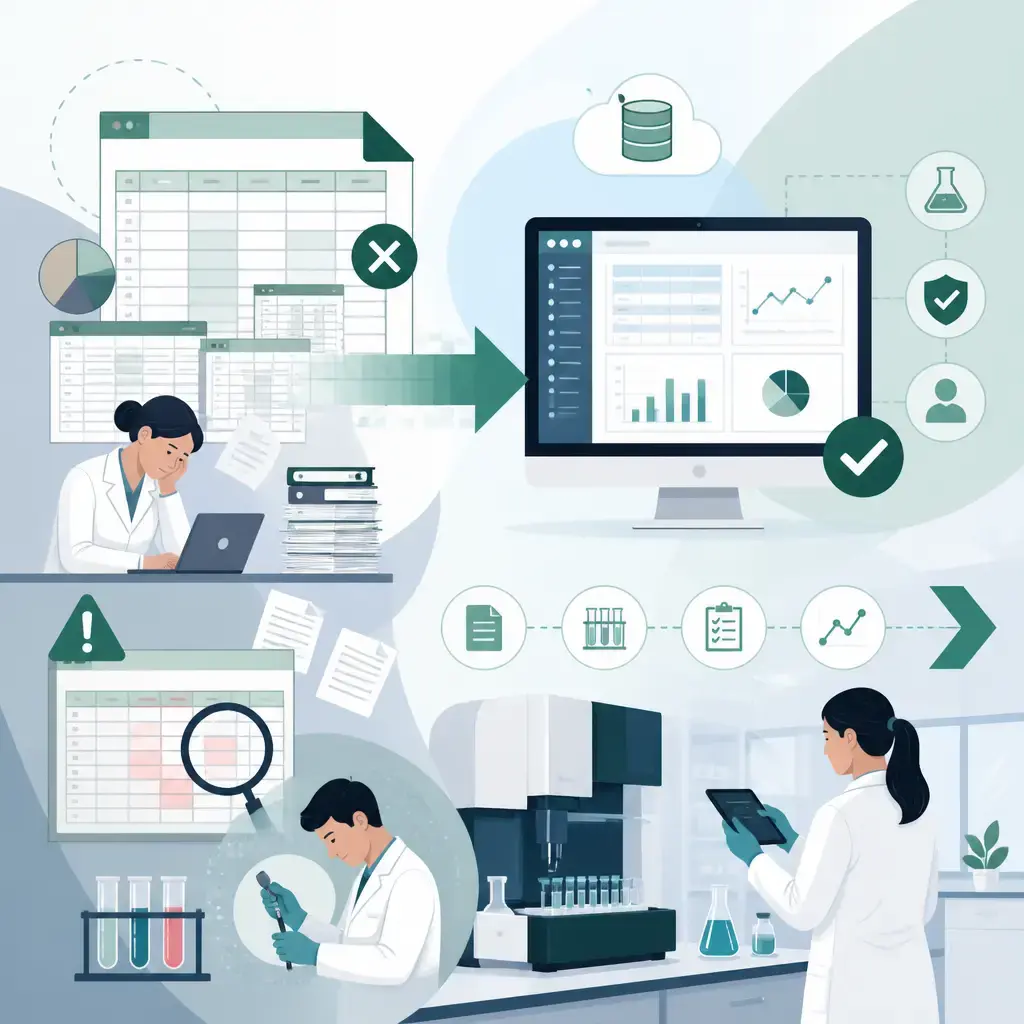
If your lab still runs on Excel, you're already paying for a LIMS. You're just paying for it in staff hours, transcription errors and audit risk instead of a subscription. Migrating from spreadsheets to a LIMS (a Laboratory Information Management System) puts your samples, results and reporting in one place, gives you the audit trail regulators demand, and according to one US LIMS provider's analysis can save a typical lab $45,000 to $55,000 a year. This guide pulls together the warning signs that you've outgrown Excel, the real numbers behind the decision, the regulatory pressure driving it, and the exact steps to migrate without losing data or breaking your operation mid-move.
Key takeaways
- A LIMS centralises sample tracking, workflows, instrument data and reporting in one system, replacing the patchwork of spreadsheets most labs accumulate over time.
- Spreadsheets fail regulated environments because they have no real audit trail, no role-based access control and no encryption, all of which standards like ISO 17025 and FDA 21 CFR Part 11 expect.
- One analysis of environmental labs puts the hidden annual cost of spreadsheets at $70,000+, against $13,000 to $25,000 a year for a LIMS, a saving of $45,000 to $55,000 annually.
- Typical spreadsheet transcription error rates run at 2 to 5 per cent. With direct instrument integration, that drops below 0.1 per cent.
- Migration follows five steps: audit your current data and processes, define requirements, select (or build) the system, implement and import, then run both systems in parallel for 2 to 4 weeks before switching over.
What a LIMS does that a spreadsheet can't
A LIMS is software built specifically to manage samples, data and workflows across a laboratory. Where a spreadsheet stores values, a LIMS runs the operation around them.
In practice that covers five areas:
- Sample tracking and management. Every sample is tracked from accessioning through to reporting, even at high volume. No more hunting through tabs to find out where a sample sits.
- Workflow automation. Complex multi-stage workflows run end to end without someone copying values between files. That speeds things up and cuts manual error at the same time.
- Data integration and reporting. All your lab data lives in one central store, so reports for customers or regulators can be generated quickly, and historical data is retrievable rather than buried in someone's local folder.
- Instrument integration. Results flow straight from instruments into the system, with no human typing in between. Many platforms also offer a RESTful API, so other software your lab relies on can feed data into the same place.
- Compliance and documentation. The better systems ship with electronic signatures, detailed audit trails and validation workflows that map onto standards like Good Laboratory Practice (GLP), ISO 17025, HIPAA, CLIA certification, FDA 21 CFR Part 11 and SOC 2 Type II.
The scale of the problem these systems solve is worth pausing on. In US clinical labs alone, 14 billion tests are performed every year. Add materials testing, contract testing and environmental work on top, and the data volume flowing through laboratories is enormous and growing. Spreadsheets weren't designed for any of it.
It's also a broad market. Some LIMS products are free; others are six-figure purchases. That spread matters when you get to vendor selection, and we'll come back to it.
Five signs your lab has outgrown Excel
Most labs don't decide to build their operation on spreadsheets. It just happens. Excel is familiar, flexible and already installed, so it starts as a simple tracking sheet and gradually becomes the system running sample intake, testing, approvals and reporting. At that point you've effectively built your own LIMS, minus all the structure that makes a LIMS work.
Here are the signs the wheels are coming off.
1. You're running a workflow Excel was never built for
When a spreadsheet becomes the source of truth for your whole testing process, the cracks show as activity increases: unclear sample status, delays in approvals, and real difficulty coordinating across teams. Lab workflows need visibility and consistency, and spreadsheets simply weren't designed to provide either at scale.
2. Your data is no longer centralised or reliable
The more people touching the same files, the worse version control gets. Multiple copies, local downloads and manual updates lead to conflicting data, lost updates and genuine uncertainty about which version is correct. For a lab, that's not an inconvenience. It's a risk, because reporting, decisions and compliance all depend on one accurate set of numbers.
3. Reporting eats your week
In a lot of labs, reporting still means copying results from Excel into formatted templates, rechecking values by hand and rebuilding reports for each batch. That's tolerable at low volume. As workload grows it becomes one of the biggest drains on the team. Automated LIMS reporting exists precisely to remove this step.
4. You can't answer audit questions
Who entered this value? When was it modified? What exactly changed? Regulated labs need defensible answers to all three. Excel can store data, but it can't reliably give you a complete audit trail of who did what and when. A LIMS records every action, which is the difference between passing an audit comfortably and scrambling to reconstruct history from email threads.
5. Your data and operations are simply too complex now
Growth means more data types, more formats, higher sample volumes and more complex testing requirements across a wider range of instruments. Holding all of that together in spreadsheets gets harder every month. This is usually the point where labs start seriously evaluating LIMS options.
There's a sixth concern that sits underneath all five: security. As the lab grows, so do the questions. Who has access to sensitive information? How is data protected from accidental changes or deletion? Are backups actually reliable? Spreadsheets don't give you the controls to answer any of those questions well.
If this pattern sounds familiar beyond the lab context, it should. We see the same trajectory across industries, and we've written before about how to turn an overgrown Excel spreadsheet into a proper web application. Labs just hit the wall harder because regulators are watching.
LIMS vs Excel: the side-by-side comparison
One US environmental LIMS provider published a direct comparison that's worth reproducing, because it quantifies the gap rather than just describing it:
| Feature | Excel spreadsheets | A dedicated LIMS |
|---|---|---|
| Data integrity | No validation; easy to overwrite or delete data | Automated validation; audit trails on all changes |
| Compliance | Difficult to prove compliance; no audit trail | Designed for EPA, NELAC and ISO 17025 compliance |
| Security | Limited user controls; no encryption | Role-based access control, user authentication, encryption |
| Reporting | Manual, time-consuming, error-prone | Automated, compliant, customisable |
| Scalability | Slows down with large datasets | Handles thousands of samples per month |
| Instrument integration | Manual data entry from instruments | Direct instrument integration; eliminates manual entry |
| Turnaround time | 2-3 days per batch (manual processing) | Hours (automated workflows) |
| Error rate | 2-5% transcription errors typical | Under 0.1% with direct instrument integration |
Two rows deserve special attention. Turnaround time dropping from 2 to 3 days per batch to hours is a competitive issue, not just an operational one; labs lose clients over slow turnaround. And the error rate gap is stark: 2 to 5 per cent transcription errors is the typical spreadsheet baseline, against under 0.1 per cent when instruments feed the system directly. Research cited in the same comparison goes further still, with studies showing that 88 per cent of spreadsheets contain errors.
Why spreadsheets fail in regulated environments
The regulatory case is the one that forces the decision for most labs, because it's the one you can't manage your way around with extra effort.
EPA-regulated laboratories, for example, must maintain detailed audit trails documenting every change to testing data. Spreadsheets fail that requirement on four counts:
- No audit trail. Excel doesn't track who changed what, when, or why. Regulators require exactly that documentation.
- No access control. Anyone with access to the file can modify the data. Regulations require role-based permissions.
- No encryption. Spreadsheet data is vulnerable to unauthorised access, where 21 CFR Part 11 requires data security.
- Manual validation. Excel has no built-in compliance checking, so staff have to verify every result by hand.
A LIMS is built around these requirements. Role-based access control means each team member sees and does only what their role allows, which protects sensitive data and tidies up the day-to-day experience at the same time. Detailed audit histories document every change and every user action. Electronic signatures, validation workflows and audit trails map onto GLP and the standards set by bodies like the FDA, EPA and ISO. Some platforms also support customer-facing portals, so clients outside the lab can access their results securely instead of receiving them by email attachment.
On the security side specifically, a cloud-based LIMS brings modern encryption, regular automated backups, single sign-on, two-factor authentication and in-depth audit trails. A password-protected workbook is not in the same conversation. One lapse from one team member and a bad actor has client-facing data.
For UK labs the names on the certificates differ but the logic is identical. ISO 17025 accreditation here runs through UKAS, and assessors expect the same things their US counterparts do: traceability, access control and a defensible record of who changed what. If your accreditation matters to your business, your evidence can't live in a shared workbook.
The other regulatory point worth making: requirements shift. Choosing the right system means your lab can meet today's standards and adapt when the rules change, rather than rebuilding the spreadsheet from scratch every time a new requirement lands.
What spreadsheets actually cost
"Excel is free" is the argument that keeps labs on spreadsheets years past the point it makes sense. The numbers say otherwise. The same environmental lab analysis breaks the hidden costs down like this:
- Labour. Manual data entry consumes 20 to 30 hours per week for a typical 500-sample lab. At $25/hour, that's $25,000 to $37,500 annually, just typing numbers in.
- Errors. With transcription error rates of 2 to 5 per cent, mistakes lead to re-testing, unhappy clients and potential liability. One major error costs $5,000 to $50,000.
- Audit risk. Spreadsheet-based systems fail EPA audits, leading to citations and potential loss of accreditation. Remediation costs $50,000+.
- Slow turnaround. Manual workflows mean 2 to 3 days per batch against 24 hours with a LIMS, which costs you competitively.
- A growth ceiling. Past a certain sample volume, you simply can't scale on spreadsheets at all.
Put into an annual comparison, the analysis totals it as follows. Spreadsheets: $30,000/year in manual data entry labour, $15,000/year in errors and re-testing, and $25,000/year in potential compliance and audit remediation risk, for a total of $70,000+ annually. A LIMS: $8,000 to $15,000/year in subscription plus a one-time $5,000 to $10,000 for implementation and training, working out at $13,000 to $25,000 annually amortised. The difference is an annual saving of $45,000 to $55,000.
Those are US dollar figures from a US vendor, so treat them as indicative rather than a quote. But the structure of the maths holds anywhere: the spreadsheet's cost is hidden in wages and risk, the system's cost is visible on an invoice, and the visible number is the smaller one. Labs that have made the switch report saving 15 to 20 hours per week through automated reporting and certificate of analysis generation alone.
A quick self-test from the same source. If you answer yes to any of these, you're past the point where spreadsheets make sense:
- Do you need EPA, NELAC or ISO 17025 compliance?
- Are you spending more than 10 hours a week on manual data entry?
- Have you ever had a compliance audit finding?
- Do you need to scale sample volume beyond current capacity?
- Are you losing clients to slow turnaround?
- Do you want to cut transcription errors and improve data quality?
Migrating from spreadsheets to a LIMS: the step-by-step process
Whether your lab has 10 months or 10 years of history to move over, this isn't a weekend job. But it is a well-trodden path. The process breaks down into five steps.
Step 1: Audit your current data and processes
Before you move anything, get a complete picture of what data lives where. Review your inventory data, your sample data and your test result data, and document the test methods and reporting requirements that sit around them.
Just as important: audit where data comes from. Some of it is manually recorded, some comes from instruments, some from other software platforms. Knowing the sources is what lets you set the new system up to capture everything automatically rather than recreating the manual steps inside it.
This audit is genuinely valuable in its own right. Most labs discover duplicated records, orphaned tabs and processes nobody can explain. Better to find them now than to migrate them.
Step 2: Define your requirements
Write down what the system actually has to do: the compliance standards you must meet, the sample types you handle, and the reporting formats your clients and regulators expect. This document becomes your yardstick for every vendor conversation, and it stops you being sold features you'll never use.
Step 3: Select your system
No two LIMS are the same, and the price range runs from free to six figures. Four criteria matter most:
- Total budget, not sticker price. Factor in implementation costs, any custom development work, and premium support down the line if your workflows change.
- Configurable rather than customisable. This distinction trips people up. "Customisable" systems often need custom code and advanced development work every time you want a change, which drives costs up. Configurable systems let you adjust workflows without writing code.
- Cloud-based rather than on-premise. An on-prem LIMS needs your team to maintain servers and security. Cloud-based means someone else worries about that, and it integrates more easily with other industry tools.
- API support. A RESTful API lets you sync data in from instruments and other software platforms, which is what "everything in one place" actually depends on. Without it, you'll end up with the LIMS as just one more silo.
Choose a vendor whose system fits your lab's size, compliance requirements and growth plans, not the one with the longest feature list.
Step 4: Implement, configure and import
Deploy the system, configure your workflows, import your historical data and train your staff. Some vendors include data migration as part of onboarding, and it's worth asking about during selection, because importing years of spreadsheet history cleanly is the part most likely to go wrong if it's left to chance. Typical implementations run in the region of 2 to 4 weeks with a vendor handling configuration, training and migration.
Training deserves real attention here. The system only delivers its value if the team actually uses it, and the fastest way to end up with a shadow spreadsheet operation is to skimp on getting people comfortable.
Step 5: Run in parallel before you switch
Don't flip the switch and delete the spreadsheets. Run the LIMS alongside your existing spreadsheets for 2 to 4 weeks to validate data integrity. If the two systems disagree, you find out while the safety net is still in place. Once the parallel run confirms the numbers match and the team is working in the new system by default, retire the old files (but archive them, don't delete them).
Off the shelf LIMS or a custom built system?
Here's our honest take as a software agency, and it might not be what you expect: if you're a regulated testing lab with standard workflows, an established off the shelf LIMS is usually the right call. Validated compliance features, instrument drivers and audit-ready documentation are expensive things to build from scratch, and the established platforms have already done that work.
Custom makes sense in a narrower set of cases, and it's worth knowing what they are:
- Your workflows genuinely don't fit. Some labs, particularly in niche industries, find every off-the-shelf option forces compromises in how they actually work. If you're going to pay for custom development on top of a "customisable" platform anyway, a purpose-built system can be the cleaner answer.
- The LIMS is only part of the picture. If sample data needs to flow into quoting, invoicing, client portals, logistics or production systems, a bespoke build can wrap the whole operation rather than bolting integrations onto a vendor product.
- Per-user pricing punishes your structure. Subscription models priced per seat can get expensive for organisations with many occasional users.
And often the right answer is a hybrid: an off-the-shelf LIMS at the core, with custom integrations built over its API to connect it to the rest of your business. That's where the API criterion in step 3 pays off. The same judgement applies well beyond labs; we've covered when Excel automation is enough and when you've outgrown it for finance teams, and the decision logic is identical.
What we'd push back on hard is the third option too many organisations default to: staying on spreadsheets because the migration feels daunting. The audit risk, the error rates and the hours lost every week don't pause while you put the decision off.
The real prize: everything in one place
Strip away the feature lists and the compliance acronyms, and the core of the case is simple. Right now your lab's truth is scattered across files, inboxes and instruments, and your team spends a chunk of every week stitching it back together by hand. After migration, there is one system, one version of every record, one audit trail, and reports that generate themselves.
Every argument in this article, the regulatory one, the financial one, the operational one, is really the same argument viewed from a different angle. Centralised, validated, traceable data is what regulators require, what clients pay faster turnaround for, and what stops your senior staff spending their evenings reconciling spreadsheets.
If your lab (or any part of your business) is creaking under the weight of spreadsheets that have quietly become critical systems, we can help you work out the right path, whether that's implementing an established platform, building custom integrations around one, or replacing the spreadsheets with a bespoke system built for how you actually work. Get in touch with IceBoxDesigns and we'll talk through what the move would look like for you, with no obligation and no jargon.
Frequently asked questions
How long does it take to migrate from spreadsheets to a LIMS?
Typical implementations take around 2 to 4 weeks, covering configuration, staff training and data migration. After go-live, plan a further 2 to 4 week parallel run where the LIMS operates alongside your spreadsheets so you can validate data integrity before switching over fully.
Can historical Excel data be imported into a LIMS?
Yes. Importing historical spreadsheet data is a standard part of LIMS implementation, and some vendors include data migration services in onboarding so your laboratory records carry over without a gap. Ask about it during vendor selection, because clean migration of years of history is the step most likely to go wrong if left to chance.
How much does a LIMS save compared with spreadsheets?
One analysis of environmental labs puts spreadsheet costs at $70,000+ a year (manual data entry labour, errors and re-testing, and compliance risk) against $13,000 to $25,000 a year for a LIMS including amortised implementation, a saving of $45,000 to $55,000 annually. Labs that switch also report saving 15 to 20 hours per week on reporting alone.
What's the difference between a configurable and a customisable LIMS?
A configurable LIMS lets you adjust workflows, fields and automations through settings, without writing code. A customisable LIMS often requires custom code and developer work to make changes, which adds cost every time your processes evolve. For most labs, configurable is the safer choice.
Related articles
- Software Development

eCoCs Explained: What the UK's Electronic Certificate of Conformity Means for Vehicle Manufacturers
10 September 2026 - Software Development

MVP to Scalable Product: How to Scope It Right and Know When to Scale
20 August 2026 - Software Development

Why ERP Integration, Not AI Tools, Is the Real Starting Point for Manufacturers
6 July 2026
Related services
Need a hand with this? Here's how IceBoxDesigns can help.