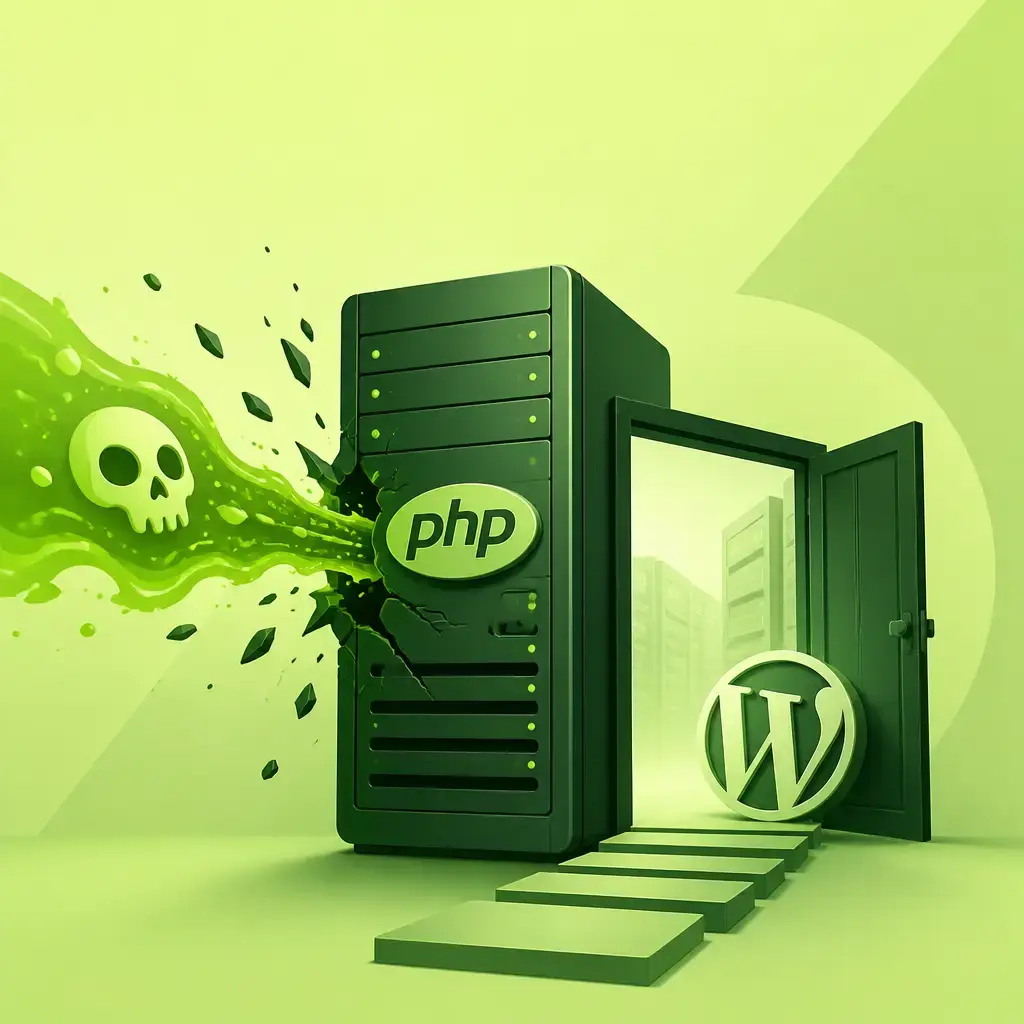
If your WordPress site is live right now, you need to know about PHP2Shell. It's not a WordPress bug, which means updating WordPress, refreshing your plugins or installing a security plugin won't help at all. The problem sits one level below WordPress, in PHP itself, the software that runs on your server and makes WordPress actually work.
On 21 October 2026, the PHP team released fixes for two critical flaws: CVE-2026-109618 and CVE-2026-109619. Both are rated 9.2 out of 10. Together, they let a complete stranger send a specially crafted request to your site and run their own code on your server, with no password required. The researchers who found the flaws demonstrated the attack working on a standard WordPress install. Worse, the details leaked a day before the fix was ready, and attack attempts started the same day.
This is one of those situations where understanding exactly who needs to act, and what they need to do, makes the difference between your site being fine and your site being compromised.
Key Takeaways
- PHP2Shell covers two PHP flaws (CVE-2026-109618 and CVE-2026-109619), both rated 9.2/10, fixed on 21 October 2026.
- Attackers can execute code on your server without any login, and the attack was demonstrated working on a standard WordPress install.
- Updating WordPress, your plugins or themes does nothing. PHP itself must be updated, which is your hosting provider's job on shared and managed hosting.
- Attack attempts started the same day the details leaked, before the official fix was even released.
- If you're on PHP 8.1 or older, use this as the trigger to upgrade to 8.3 or 8.4 regardless.
Is PHP2Shell the Same as WP2Shell?
No, and it's worth being clear on this because the names are close enough to cause confusion. WP2Shell is a different set of flaws, and those live inside WordPress itself, so a normal WordPress update fixes them. PHP2Shell is a different problem entirely, in the PHP layer that sits underneath WordPress. The fix for one does nothing for the other.
Is Your Site Affected?
Until your server gets the updated PHP, assume yes. You can check your current PHP version without any technical knowledge: in your WordPress dashboard, go to Tools → Site Health → Info, open the Server section, and look for PHP version.
Then compare it against the versions the PHP team has actually fixed:
| Your PHP version | Fixed from |
|---|---|
| 8.5 | 8.5.12 |
| 8.4 | 8.4.27 |
| 8.3 | 8.3.36 |
| 8.2 | 8.2.35 |
| 8.1 and older | Only if your host adds the fix manually (and you should upgrade anyway) |
If your version number is lower than the fixed version for your branch, don't panic just yet. Some hosts and Linux distributions apply the security patch without changing the version number you see. Your host is the only one who can confirm whether the fix is in place, which brings us to the most important action you can take today.
What You Actually Need to Do
On Shared or Managed Hosting (Most WordPress Sites)
If a hosting company runs your server, shared hosting, managed WordPress hosting, updating PHP is their responsibility. Most major hosts were already working on it on the same day the fix dropped. Your job is to ask and get a concrete answer.
You can copy this message and send it to your host's support team:
Hi, my site runs PHP [your version]. Has the PHP fix for PHP2Shell (CVE-2026-109618 and CVE-2026-109619) been installed on my server? If not, when will it be? Thank you!
One important thing to watch for: if your host replies with "We've added firewall protection," that's worth hearing, but it's not the same as the PHP update being installed. Keep asking until you get a clear confirmation that PHP itself has been updated.
On a VPS, Cloud Server or Docker Setup
If you manage your own server, this one's on you. Install the fixed PHP packages from your Linux distribution or PHP's official repository, then restart PHP-FPM or Apache. That restart step matters more than people realise, PHP keeps running the old code in memory until the service restarts, even after the files are updated.
A quick note on version numbers: some distributions ship the security fix under an older-looking version number. Ubuntu 24.04's fix, for example, ships as version 8.3.6-0ubuntu0.24.04.13, which doesn't look like 8.3.36, but contains the patch. So trust your distribution's official security notice rather than the version number alone.
If you're running Docker, pull the fixed image and recreate your containers. Just pulling the image and leaving the containers running changes nothing.
If You're on PHP 8.1 or Older
This is the moment to move. PHP 8.1 reached end of life in December 2024, which means it receives no official security fixes. Use this situation as the push to upgrade to PHP 8.3 or 8.4. Most hosts let you switch PHP versions directly from their dashboard. The process: take a full backup first, make sure your plugins and themes are up to date, switch the PHP version, then click through your important pages, home page, contact form, checkout if you have one. If anything breaks, your PHP error log will point directly to whichever plugin is the culprit.
What Major Hosts Were Doing on 21 October 2026
To give you a sense of where your host might stand, here's what major hosting providers announced on the day the fix was released. Times are in UTC.
| Host | Status as of 21 October 2026 |
|---|---|
| Cloudways (09:16) | Temporary protections in place while waiting for patched PHP |
| DreamHost (13:46) | Protections in place, ready to deploy updated PHP |
| Flywheel | Protection at CDN level, updates rolling out |
| GoDaddy (20 October) | VPS customers must update PHP themselves (paid service available) |
| InMotion Hosting (14:40) | Dedicated servers done; VPS in progress; shared hosting protected |
| Kinsta | Temporary protections rolling out; patched PHP 8.5.12 live by 16:38, PHP 8.3.36 by 19:53; no action needed from customers |
| Liquid Web (17:57) | cPanel/WHM customers can install the fix themselves |
| Namecheap (16:50) | All public services protected; VPS/dedicated customers must update themselves |
| OVHcloud (14:50) | Firewall rules in place; fix being deployed until 22 October |
| Pantheon (19:49) | Patched on all live sites running PHP 8.2 to 8.5; older versions awaiting vendor fixes |
| Pressable | Every PHP version offered is protected against both flaws |
| Rocket.net (15:05) | PHP maintenance in progress |
| SiteGround (11:30) | Server-level protection on all servers, affected PHP features turned off; nothing for customers to do |
| WP Engine (13:40) | Protection at CDN level (Cloudflare and Fastly); PHP updates rolling out |
For server control panels: EasyApache 4 (cPanel) shipped fixes including PHP 7.4, 8.0 and 8.1. Plesk on Linux has fixes for PHP 8.2 to 8.5, with older versions and Windows still to come. Ubuntu and Debian 13 have fixed packages out. CloudLinux is rolling out its alt-php builds. Debian 12 and Red Hat had no fix available as of 21 October 2026.
If your host isn't on this list, contact them directly. Don't assume silence means safety.
What If PHP Can't Be Updated Today?
If you're stuck waiting for your host to act, there are a few things that can reduce your exposure in the meantime, but be clear-eyed about what they can and can't do.
Put Cloudflare in front of your site. Cloudflare added PHP2Shell protection to its firewall on every plan, including the free tier. It only helps if your visitors actually route through Cloudflare, but if you can set it up, it's the most accessible short-term mitigation available.
Ask your host about temporary server settings. PHP's own security advisories list a handful of server settings that can block the known attack vectors, for example, disabling session.upload_progress. Only whoever manages the server can apply these, and they're partial rather than complete protection.
Don't rely on a maintenance-mode plugin. This is an important one: the attack can happen before WordPress even loads. A plugin that runs inside WordPress can't stop something that reaches your server before WordPress starts up.
All of these buy time. None of them replace the PHP update.
What Happens If an Attacker Gets In?
This kind of access, running code directly on your server, is about as bad as it gets. It's worth being specific about what attackers typically do with it, because it shapes what you need to check even after the patch is applied.
With server-level code execution, an attacker can:
- Create a hidden administrator account so they can log back in whenever they like
- Plant a small backdoor file on the server that survives even after the original vulnerability is fixed
- Redirect your visitors to scam or spam sites, often only visitors arriving from Google, or only on mobile, so you never see it yourself when you browse your own site
- Add thousands of spam pages that Google indexes under your domain name
- Steal your database: customer details, email addresses, order history
- On e-commerce sites, slip a card skimmer into your checkout page
- Use your server to send spam or attack other sites, which can get your server's IP address blacklisted
That backdoor point is particularly important, and it's why patching PHP after the fact isn't always sufficient on its own. A backdoor planted before the fix is applied will still be there after. If there's any chance your site was accessed during the window between the details leaking and your host applying the patch, you should check for signs of compromise, not just confirm that PHP is now updated.
How to Check Whether Your Site Has Already Been Compromised
Most hacks are quiet by design. Attackers don't want you to notice, so you won't wake up to a defaced homepage. You have to look. The good news is that a basic check takes about five minutes.
Check your users. In wp-admin, go to Users and filter by Administrator. Does everyone there belong? An account you don't recognise is a significant warning sign.
Check your plugins. Look through your installed plugins list. Anything in there that you didn't install, or that appeared recently without explanation, needs investigating.
Search Google for your domain. In Google, type site:yourdomain.com and scroll through the results. You're looking for pages you never created, casino pages, pharmacy listings, content in languages you don't publish in. If Google has indexed spam pages under your domain, your site has been compromised.
Check Google Search Console. If you have Search Console set up, look in the Security Issues section. Google will flag malware and hacked content if it detects it.
Look inside your uploads folder. The wp-content/uploads folder is meant for images and documents. A .php file in there is a strong indicator of a backdoor. It shouldn't be there under any normal circumstances.
If any of these checks turn up something suspicious, you're looking at a cleanup rather than just a patch. Our WordPress malware removal guide walks through the full process of cleaning a compromised site and making sure the backdoor doesn't stay behind.
Why This Is Different From a Typical WordPress Vulnerability
Most security alerts you'll read about WordPress are plugin or theme vulnerabilities. They're serious, but they live inside the WordPress application layer. A security plugin, a firewall plugin or a WordPress update can address them.
PHP2Shell sits underneath all of that. PHP is the interpreter that runs WordPress, and if the interpreter itself has a flaw this severe, nothing running inside it can compensate. It's a bit like having a lock on your front door while the wall next to it has a hole in it, the lock is irrelevant.
This is also why shared hosting customers are at the mercy of their providers here. You can't update PHP yourself on shared hosting; you don't have that level of access. You can check your version, ask the right questions and escalate if you don't get satisfactory answers. If a host isn't forthcoming about whether they've applied a 9.2/10 severity fix, that tells you something worth knowing about how they handle security generally.
A proper website maintenance plan includes staying on top of exactly this kind of server-level issue, not just WordPress updates, but monitoring for announcements like this, checking that your hosting environment is patched promptly, and running the kind of integrity checks that catch a compromise before your customers do.
The PHP Version Upgrade Question
A lot of WordPress sites are running PHP versions that are past their official end of life, or approaching it. PHP 8.1's support window closed in December 2024. PHP 8.2 support runs until December 2026. If you're on 8.1 or older, you're already in a position where security fixes aren't guaranteed, and PHP2Shell has made that more concrete.
Upgrading PHP is usually less painful than people expect. Most managed WordPress hosts and cPanel-based shared hosts let you switch PHP versions from your hosting control panel, and the actual switch takes seconds. The preparation is what takes a bit of care: update your plugins and themes first, take a backup, then switch and test the key pages of your site. If a plugin isn't compatible with a newer PHP version, you'll usually see a PHP error in your error log pointing to exactly which file is causing it.
This is a good moment to do it, while the reason is fresh in your mind.
What to Do Right Now: A Quick Summary
- Go to Tools → Site Health → Info → Server in your WordPress dashboard and check your PHP version.
- Compare it to the fixed versions in the table above.
- If you're on shared or managed hosting, contact your host using the template message above and ask specifically whether the PHP update (not just firewall protection) has been applied.
- If you manage your own server, install the fixed PHP packages, then restart PHP-FPM or Apache.
- If you're on PHP 8.1 or older, plan the upgrade to 8.3 or 8.4, take a backup first, update your plugins and themes, then switch and test.
- Run the five-minute compromise check above, regardless of whether you think your site was targeted.
- If your host can't give you a clear timeline, put Cloudflare in front of your site as a temporary measure while you decide what to do.
If you're unsure whether your site has been affected, or you want someone to run through the checks properly, our website maintenance service covers exactly this: vulnerability monitoring, PHP environment checks, and the kind of ongoing oversight that means you're not finding out about something like this from a client who noticed spam pages in Google.
Frequently asked questions
Will updating WordPress or my plugins fix PHP2Shell?
No. PHP2Shell (CVE-2026-109618 and CVE-2026-109619) is a flaw in PHP itself, not in WordPress. The fix has to be applied at the server level, which means your hosting provider needs to update PHP. Updating WordPress, your plugins or your theme does nothing to address it.
How do I know which PHP version has the fix?
The fixed versions are: PHP 8.5.12, 8.4.27, 8.3.36, and 8.2.35. For PHP 8.1 and older, you'd need to confirm with your host directly, as there's no guaranteed official fix, and those versions are past their support window anyway. Check your current version in WordPress under Tools → Site Health → Info → Server.
What if my host says they've added firewall protection, is that enough?
It's a useful temporary measure, but it's not the same as updating PHP. Firewall rules can block known attack patterns, but they can be bypassed. The only complete fix is running a patched PHP version. Keep asking your host until they confirm the PHP update itself has been applied.
My site was live during the window before my host patched PHP. Should I be worried?
Yes, it's worth checking. Attack attempts started the same day the vulnerability details leaked, before the official fix was released. Run the five-minute checks: look for unknown administrator accounts, unfamiliar plugins, PHP files inside your uploads folder, and spam pages indexed by Google. If anything looks wrong, treat it as a compromised site and run a full cleanup.
Related articles
Related services
Need a hand with this? Here's how IceBoxDesigns can help.