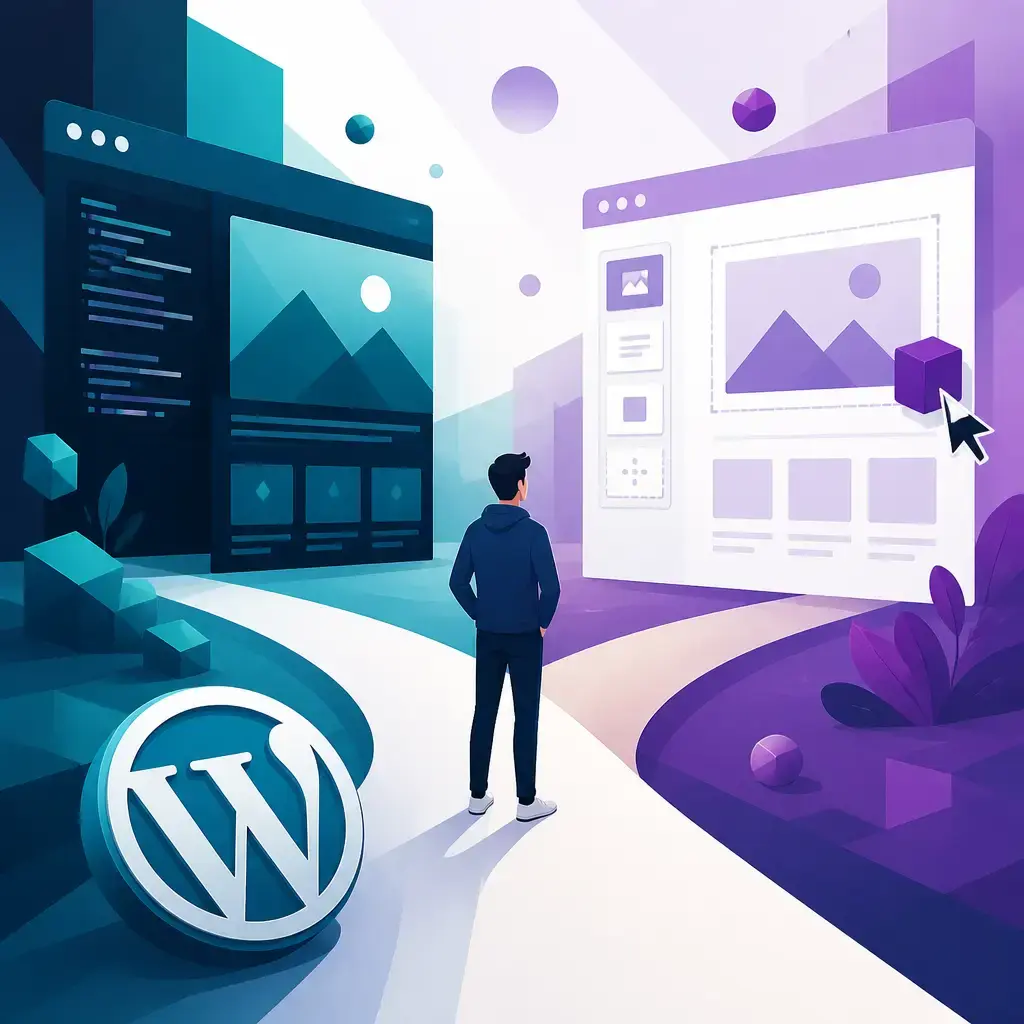
If you're building or rebuilding a WordPress site, you'll hit this fork in the road early: do you go with a custom theme or a page builder? The short version is that a custom theme gives you full control and tends to load faster, but you need the expertise to build it. A page builder is far easier to use and harder to break, which makes it the safer bet if you're not a developer. The right answer depends on your skills, your budget and how much your site needs to do.
This isn't a religious war, whatever you read online. Both approaches build perfectly good websites. The difference is in how they handle design, control, usability and performance, and those four things shape everything from how free you are with your layout to how fast your pages load for visitors. Let's walk through each one so you can make the call with your eyes open.
Key takeaways
- A custom WordPress theme vs page builder decision comes down to four things: design flexibility, scope of control, learning curve and performance.
- Custom themes give you unlimited design freedom and pixel-perfect layouts, but you need real coding skill to build and maintain them.
- Page builders let you design visually with drag-and-drop blocks. They're much easier to learn and far less can go wrong, which is great for beginners.
- Custom themes generally load faster than page-builder sites, though well-optimised lightweight builders can still pass Google's Core Web Vitals.
- More control means more that can break. Page builders trade some freedom for safety and speed of setup.
Design flexibility and customisation
This is where the two approaches split most clearly.
A custom theme gives you full design freedom. You get direct access to the template files and you can write your own custom CSS, so you can build literally any layout you can imagine. Want a layout that doesn't look like anything else on the web? You can have it. The catch is right there in the small print: you need the expertise to actually do it. Without that, all that freedom just becomes a way to make a mess.
A page builder works differently. You customise visually, dragging and dropping pre-designed blocks into place and tweaking colours, fonts and spacing right there in the editor. It's quick, it's visual, and you can see your changes as you make them. But you're usually limited to what the builder offers. If a layout idea sits outside the builder's toolkit, you're often stuck or forced into an awkward workaround.
Here's a side-by-side on the design side of things:
| Design factor | Custom theme | Page builder |
|---|---|---|
| Design options | Unlimited | Template-based |
| Layout precision | Pixel-perfect layouts | Pre-built elements |
| Content structure | Structured content control | Visual customisation within limits |
| How you edit | Template files and code | Drag-and-drop in the editor |
You can add custom CSS to both, by the way. That's not exclusive to custom themes. The difference is that with a page builder, your custom code sometimes gets overridden or clashes with what the bbuilder is doing, which can turn a five-minute tweak into an afternoon of head-scratching. With a custom theme, you're building everything from the ground up, so your CSS does exactly what you tell it to.
What this means in practice
If your brand lives or dies on a distinctive look, a custom theme is the honest answer, assuming you have someone who can build it properly. A bespoke layout, built clean from the start, will always beat bending a builder into a shape it wasn't designed for.
If your priorities are "looks professional" and "I can update it myself next Tuesday," a page builder gets you there faster. Template-based isn't an insult. Plenty of great-looking, high-converting sites run on builders. You're just accepting some boundaries in exchange for speed and simplicity.
This is also where a lot of businesses go wrong. They pick a builder, then spend months trying to force it past its limits with stacked plugins and custom CSS patches, and end up with something slower and more fragile than a custom build would have been. If you can feel yourself fighting the tool, that's usually the sign you've outgrown it.
Scope of control
Control is the next big difference, and it cuts both ways.
A custom theme gives you much greater control over pretty much every element on the page. You're not boxed in by pre-built components the way you are with a page builder. If you want to change how a single button behaves, or restructure how a whole section of content is handled, you can, because you own the code.
That power has a cost. More control means more things can go wrong, especially if you don't have experience building custom WordPress themes. A small mistake in a template file can break a page, or worse, the whole site. When you're working at that level, you need to know what you're doing and you need a safety net, which usually means backups and a staging environment to test changes before they go live.
Page builders flip this. They make everything easier and, crucially, less can go wrong. The builder handles the heavy lifting and keeps you inside safe boundaries, which is exactly why they're great for beginners. You're far less likely to break your site by dragging a block into the wrong place than you are by editing raw code.
The trade-off, plainly
Think of it like the difference between cooking from scratch and using a meal kit. From scratch, you control every ingredient and can make anything, but there's more that can go wrong and you need to know your way around a kitchen. The meal kit limits your options and you can't go fully off-menu, but it's much harder to ruin dinner.
Neither is "better." They suit different people. A confident developer wants the control. A busy business owner who just needs to publish content reliably usually wants the guardrails.
Learning curve
This one's straightforward, and it matters more than people expect.
Page builders are much easier to use and get the hang of. The drag-and-drop interface is visual and forgiving, and most people can put together a decent page within a day or two of poking around. There's no code to learn, no template hierarchy to understand, just a canvas and a set of blocks.
Custom themes take some time to learn and even more time to master. You're dealing with template files, PHP, WordPress's own way of structuring things, and CSS. It's not casual weekend learning. Getting good at it is a genuine skill, which is exactly why agencies and developers exist.
For most small businesses, this is the deciding factor. If nobody on your team can write code and you don't want to hire someone every time you need a new landing page, a page builder removes that bottleneck. You can make changes yourself, when you need to, without filing a support ticket and waiting.
The flip side is that "easy to learn" and "easy to maintain at scale" aren't the same thing. A site that's grown to fifty pages of builder content, each one slightly different, each one stacked with extra widgets, can become its own kind of maintenance headache. Easy to start isn't always easy to keep tidy.
Performance and site speed
Speed is where custom themes usually pull ahead, and it's worth understanding why.
Custom themes tend to load much faster than WordPress sites built with page builders. The reason is simple: a clean custom theme only loads the code it actually needs. Page builders, by their nature, carry extra weight. They load styling and scripts to power all that drag-and-drop flexibility, and a lot of that gets loaded whether your specific page uses it or not. That extra baggage shows up as slower load times.
But it's not a blanket rule, and this is where the nuance lives. There are some lightweight page builders out there, and when these are optimised well for page load speed, they can actually load pretty fast, fast enough to pass all of Google's Core Web Vitals. So a well-built, well-optimised page-builder site can absolutely hold its own. The problem is more often how a builder gets used, plugins piled on top, images left unoptimised, than the builder itself.
Why speed is worth caring about
Google's Core Web Vitals measure how quickly and smoothly your pages load and respond. They feed into your search rankings, and slow pages quietly cost you visitors and sales because people don't hang around for a site that drags. A faster site keeps more of the traffic you've worked to earn.
If raw speed is your top priority, a custom theme is the more reliable route to it. If you go the page-builder way, the speed is still very achievable, but you have to actively work for it: pick a lightweight builder, keep the plugin count down, and stay on top of image sizes and caching. That ongoing care is exactly the sort of thing a proper website maintenance plan is built to handle, so your speed doesn't quietly slide over time as the site grows.
So which one should you choose?
Here's the honest framing, without the fence-sitting.
Go with a page builder if: you're not a developer and don't want to become one, you need to make your own updates without help, your design needs sit comfortably within a template-based approach, and you'd rather start fast and safe than chase pixel-perfection. It's the sensible default for a lot of small businesses, and there's no shame in that.
Go with a custom theme if: you want a truly distinctive design, you need control over every element, raw performance matters to you, and either you have the skills or you're working with someone who does. The investment is bigger up front, but you get a faster, fully bespoke site with no limits baked in by a third-party tool.
A quick decision guide:
- Be honest about your skills. No code experience and no developer on call? Lean towards a page builder.
- Look at your design ambition. If your design genuinely can't be done within a builder's limits, that's a strong nudge towards custom.
- Weigh how much speed matters. Speed-critical site? Custom themes get you there more reliably, though a lean builder, well looked after, can pass Core Web Vitals too.
- Think about who maintains it after launch. Updating things yourself points to a builder. Having a team handle it points to either, with custom unlocking more.
- Factor in the long game. A site you expect to grow and change a lot is worth building properly from the start.
There's also a middle path worth knowing about: a custom built themee that's still easy for you to edit. A good developer can build you a lightweight, fast bespoke theme and set up the content areas so you can update text and images yourself, without touching code. You get the speed and the distinct design of custom, plus a lot of the day-to-day ease of a builder. If you're outgrowing a builder but don't want to lose the ability to edit your own site, that's often the answer. It's the kind of thing our WordPress development work is built around.
A few things to watch either way
Whichever route you take, a couple of things hold true.
Keep your plugin count sensible. Every extra plugin is more code to load, more that can clash, and more to keep updated. This is just as true on a custom theme as a page-builder site, but builders tempt you into adding more add-ons, so it bites harder there.
Don't let custom CSS turn into a tangle. On a page builder especially, layering custom code on top of the builder's own styling can cause clashes and overrides that are a nightmare to debug later. A little goes a long way. If you find yourself writing a lot of CSS to wrestle a builder into shape, that's a sign the builder isn't the right fit for what you're trying to do.
Whatever you build, keep backups and test changes somewhere safe before they go live. That matters more with a custom theme, where a code mistake can take down a page, but it's good practice on any WordPress site. The freedom of a custom build is only safe when there's a net underneath it.
The bottom line
There's no universal winner in the custom WordPress theme vs page builder debate. Custom themes give you unlimited design freedom, full control and faster load times, in exchange for needing real expertise and a bit more care. Page builders give you ease, safety and speed of setup, in exchange for working within the tool's limits and watching your performance more closely.
Pick the one that matches your skills, your design needs and how you plan to run the site after launch. Get that match right and either approach will serve you well. Get it wrong and you'll spend months fighting your own website.
If you're not sure which way to go, or you want a custom theme that's still easy to manage, our team can build it and look after it. Take a look at our WordPress development service and tell us what you're trying to build.
Frequently asked questions
Is a custom WordPress theme faster than a page builder?
Generally, yes. Custom themes tend to load much faster because they only load the code they need. Page builders carry extra weight to power their visual tools. That said, some lightweight page builders, when optimised well, can load pretty fast and pass all of Google's Core Web Vitals.
Which is easier to use, a custom theme or a page builder?
A page builder, by a clear margin. The drag-and-drop interface is visual and forgiving, and most people get the hang of it quickly. Custom themes take time to learn and even more to master, since you're working with template files and code.
Can I add custom CSS to a page builder?
Yes, you can add custom CSS to both custom themes and page builders. The difference is that with a page builder, your custom code sometimes gets overridden or clashes with the builder's own styling, which can make changes harder to control.
Should a small business use a custom theme or a page builder?
If nobody on your team writes code and you want to make updates yourself, a page builder is usually the safer, easier choice. If you need a truly distinctive design, full control or top performance, and you have the skills or a developer, a custom theme is worth the investment.
Related articles


Related services
Need a hand with this? Here's how IceBoxDesigns can help.